
All Images
Introduction: Software as a Citable Research Output
Choosing an Open-Source License
Figure 1
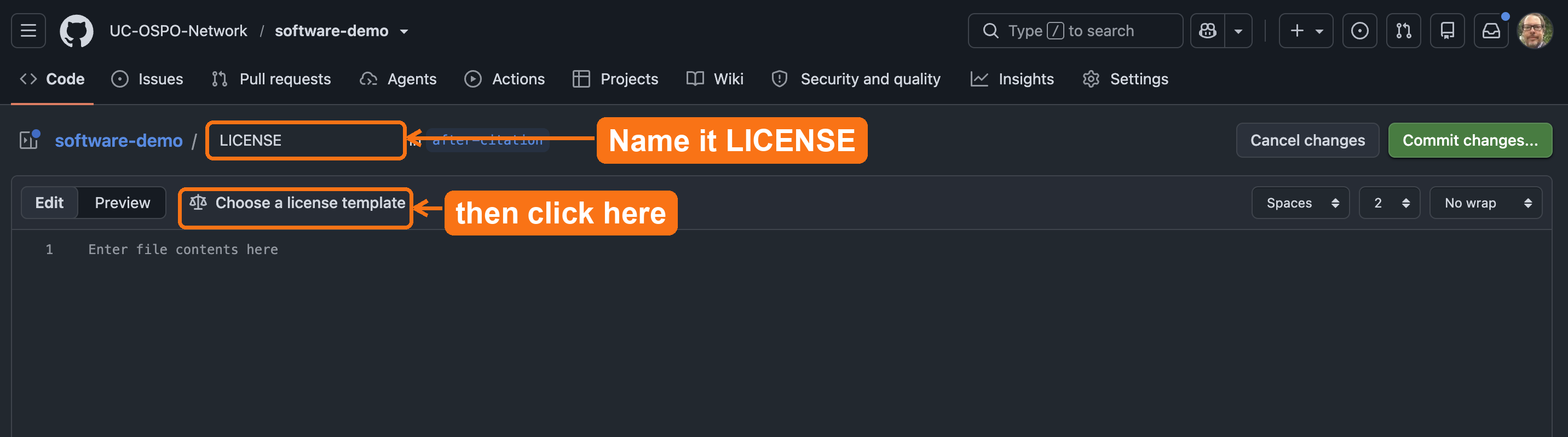
Name the new file
LICENSE, then
click Choose a license template to insert the full BSD
3-Clause text.Adding a CITATION.cff File
Figure 1
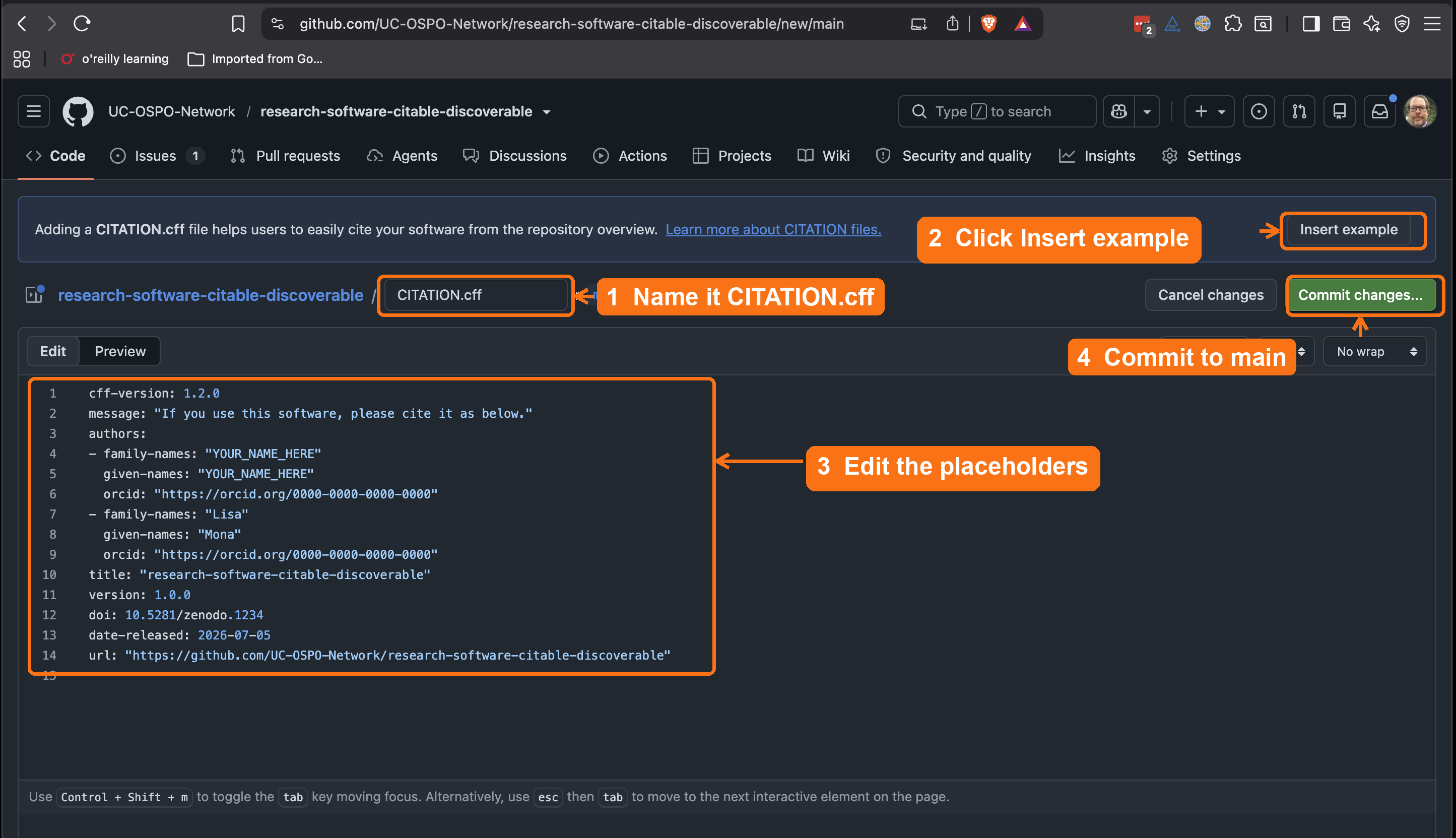
Name a new file
CITATION.cff, click
Insert example to drop in GitHub’s template, edit the
placeholder names and ORCIDs, then commit to main.Figure 2
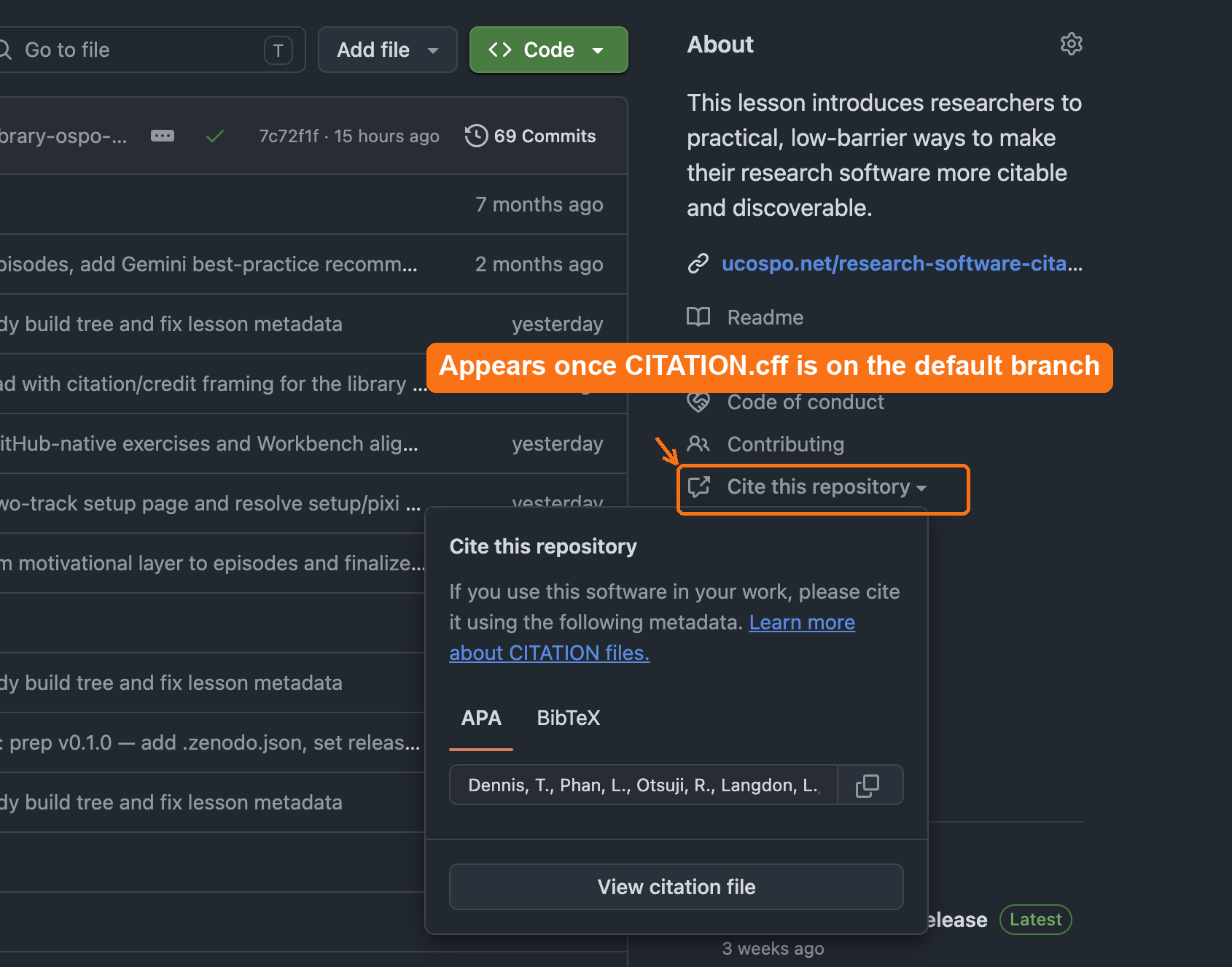
Once
CITATION.cff is on the default
branch, GitHub adds a Cite this repository link to the
About sidebar that opens ready-made APA and BibTeX citations.Making Your Software Citable
Figure 1
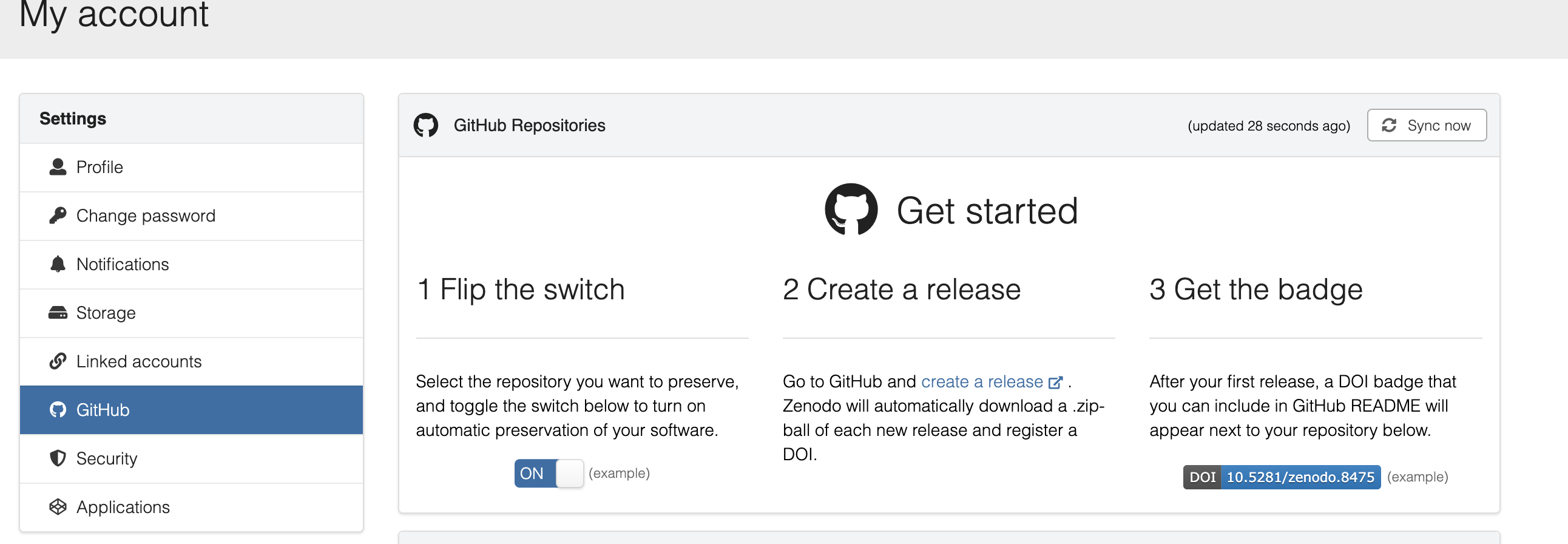
Zenodo’s GitHub page walks you through the same
three steps: flip the switch on a repository, create a release, and get
a DOI badge.
Figure 2
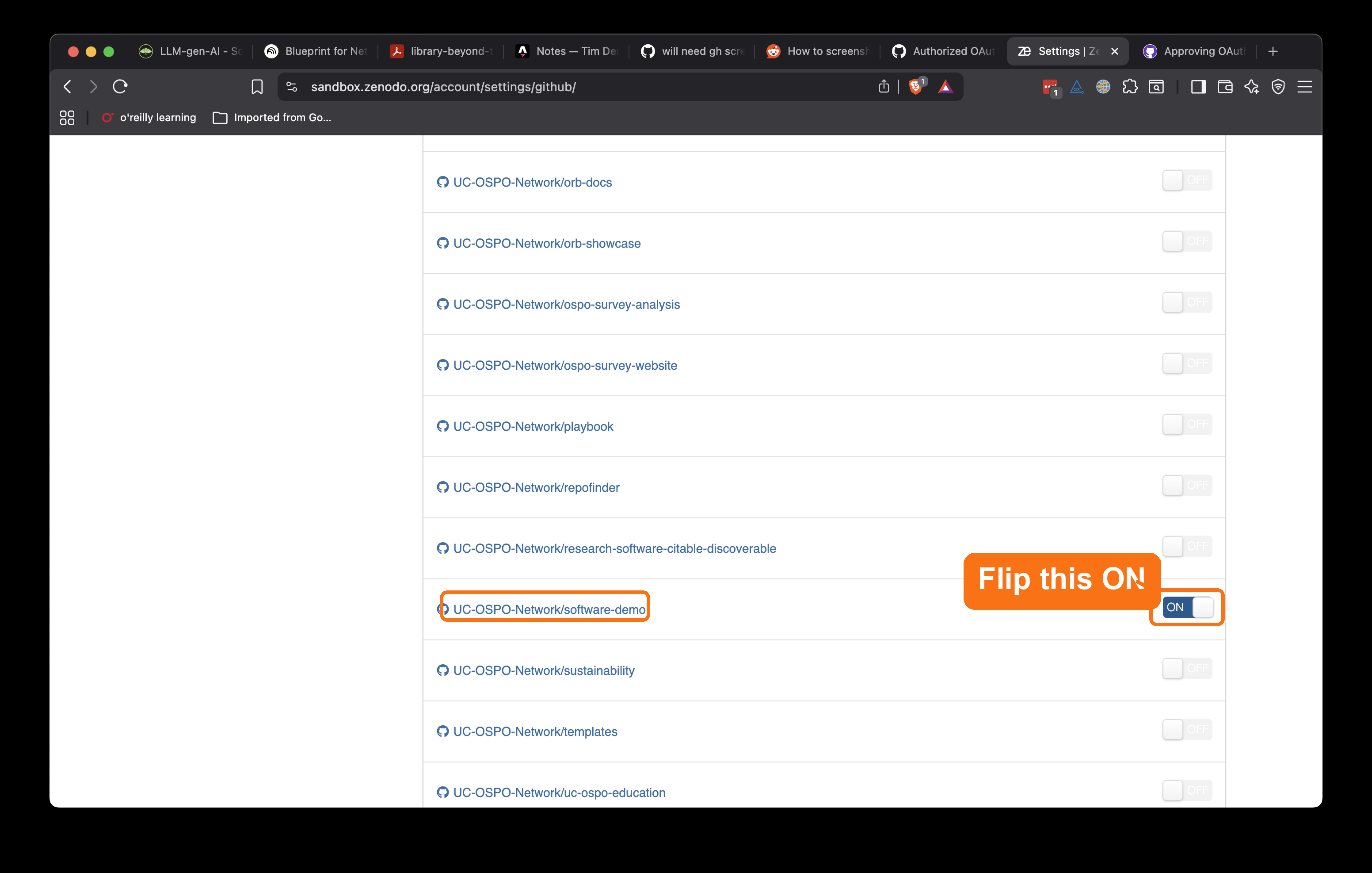
In Zenodo Sandbox under Settings →
GitHub, find your repository and flip its switch to ON so
Zenodo archives each new release.
Figure 3
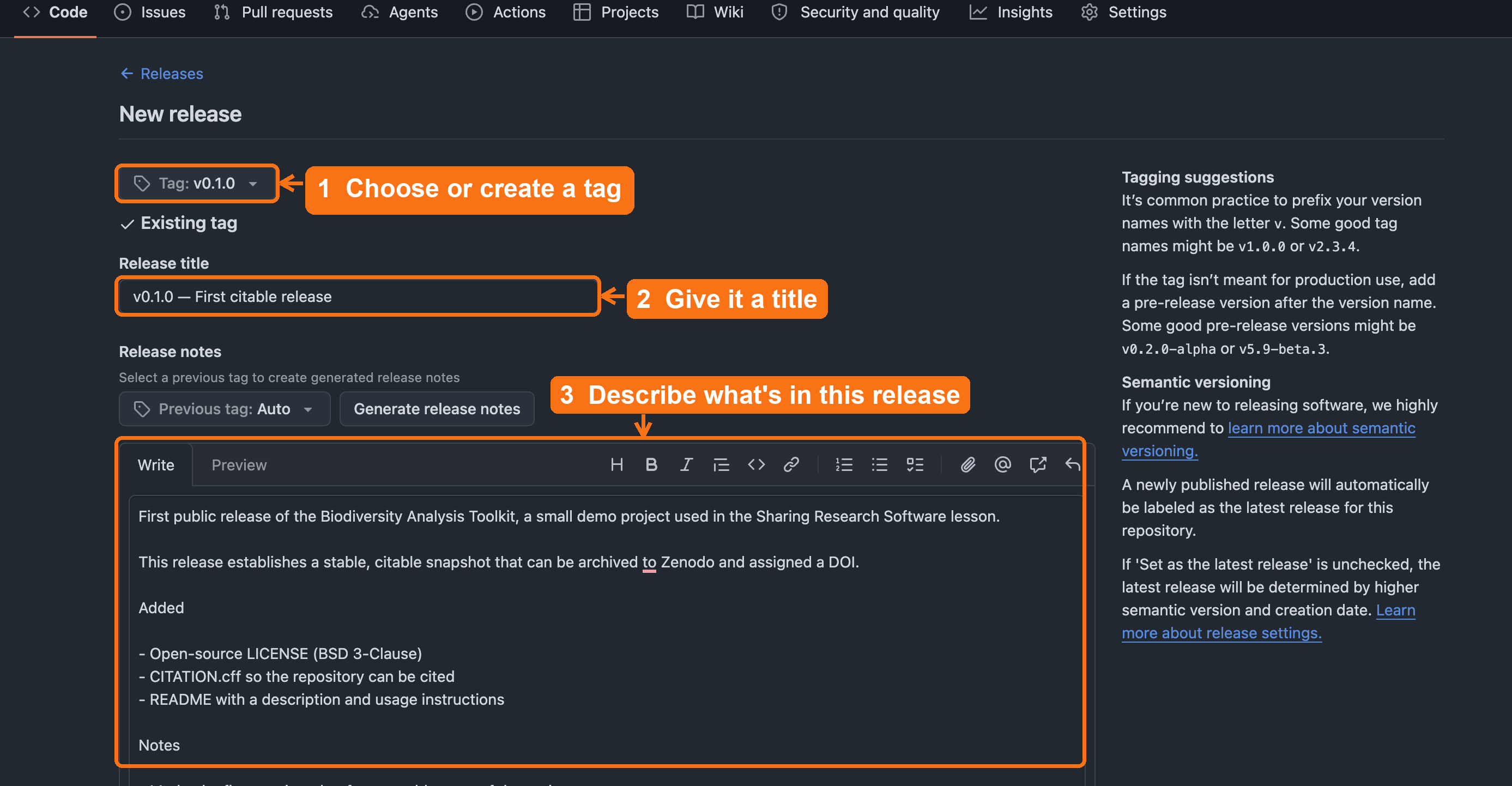
On GitHub’s “Draft a new release” form: choose
or create a tag such as
v0.1.0, add a release title,
describe what’s in the release, then click Publish
release (below the fold).Improving Metadata and Discoverability
Figure 1
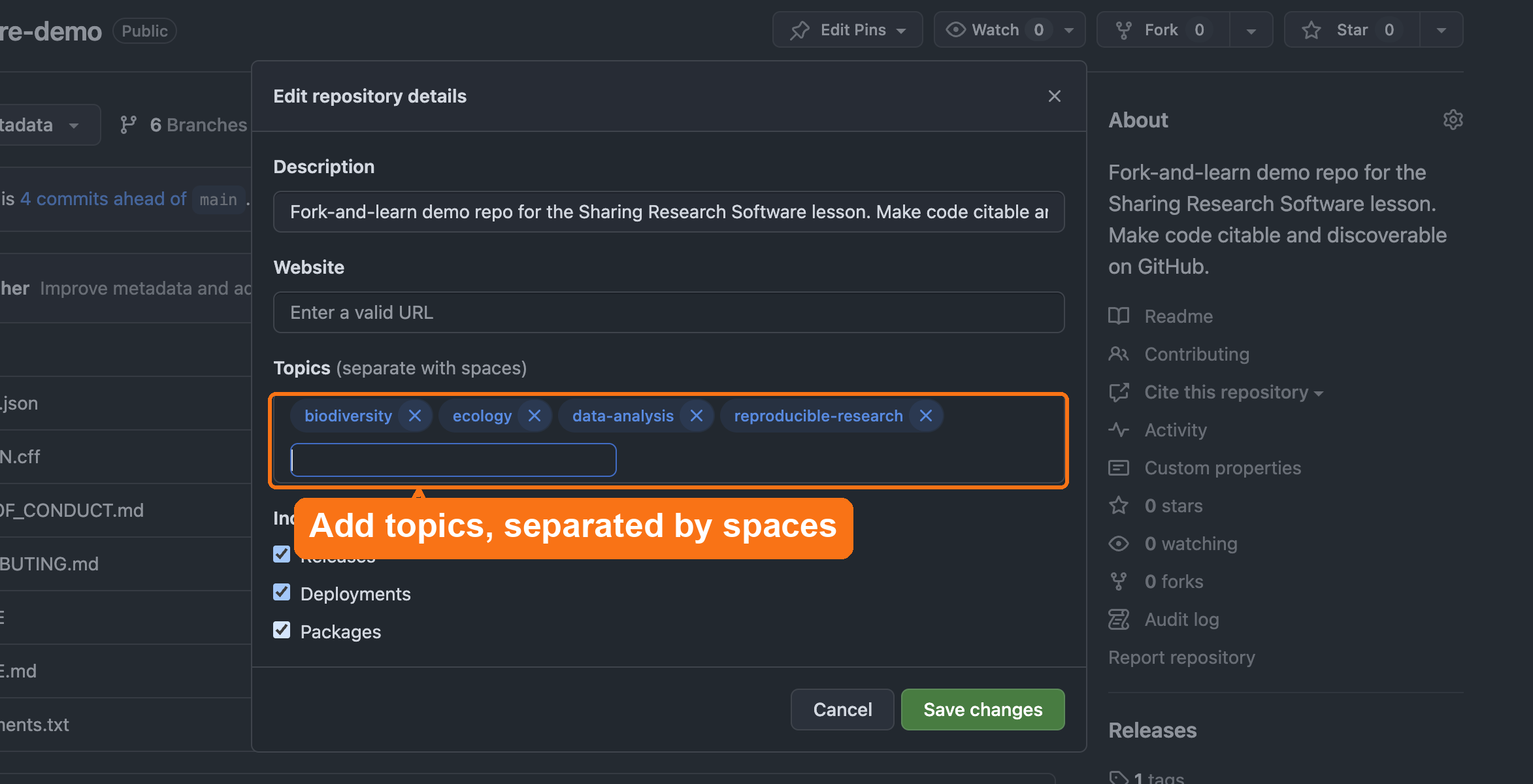
Open the repository’s About settings (the gear
icon) and add topics in the Topics field, separated by
spaces.